
00 / Use Cases
Anywhere people gather around information.
The Rotary InfoBoard was born on a factory floor — but the need to see, share, and act on critical information isn't exclusive to manufacturing. Wherever your team meets to make decisions, it belongs in the room.

01 / Sectors
Use Cases
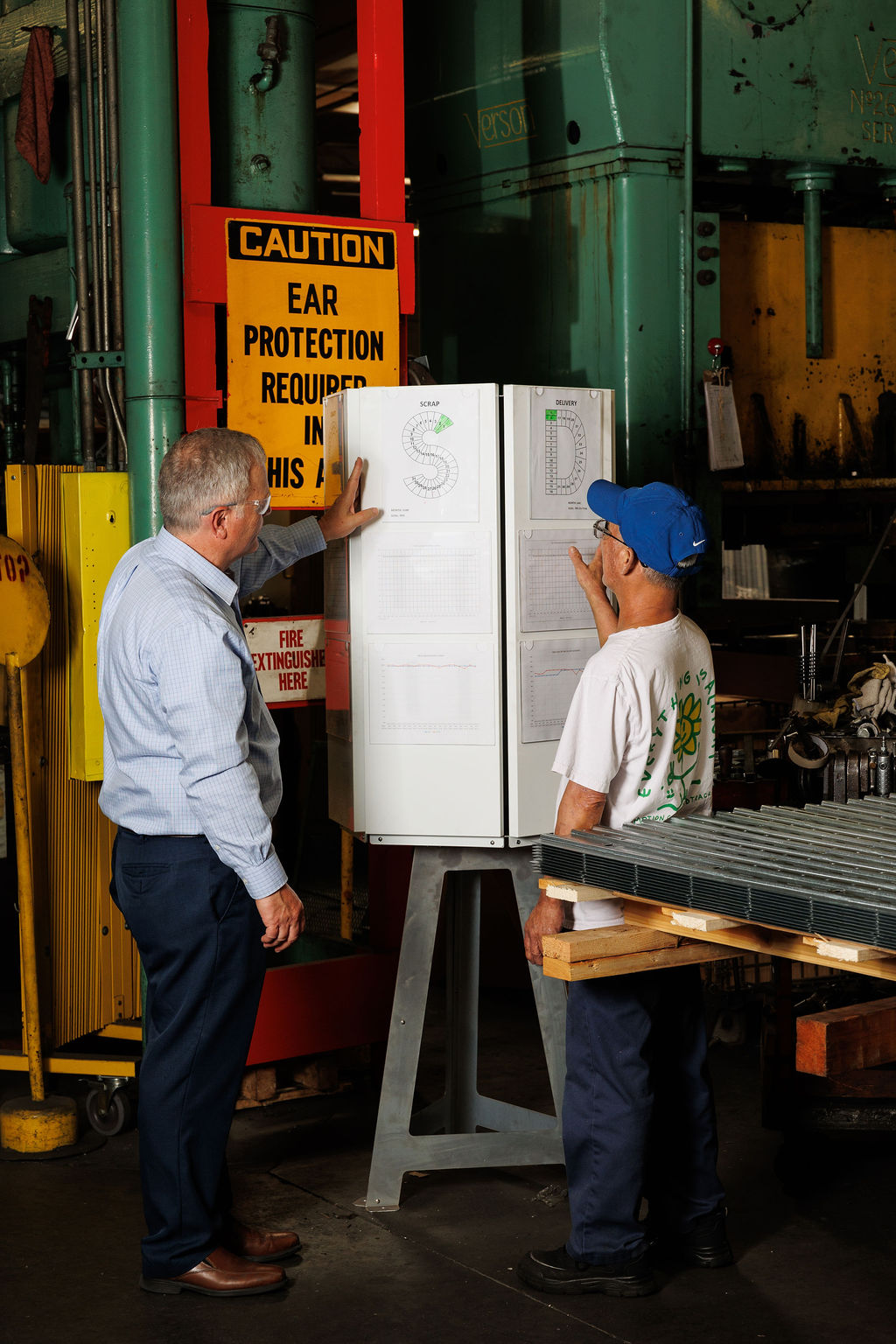
This is where the Rotary InfoBoard started. The four pillars of lean daily management on configurable sides of a stand that rotates to face whoever needs it. No wall required. No crowding around a corner board. Clear, current data — in the center of your cell or department.
- SQDC visibility
- Cell-side mounting
- Magnetic + pegboard
In a busy unit, critical information can't live on a wall half your staff never passes. The Rotary InfoBoard puts patient assignments, staffing levels, and daily priorities in the middle of where your team works — visible on rounds, accessible at handoff, always current.
- Patient flow
- Shift handoff
- Always-current
The Rotary InfoBoard keeps your incoming crew informed without pulling them to a wall board at the back of the warehouse. Route changes, daily targets, safety reminders — one central location, zero excuses for not knowing.
- Dock-floor central
- Shift targets
- Safety messaging
Faculty workrooms, student resource centers, administrative offices — anywhere schedules, goals, and announcements need to be visible and accessible, the Rotary InfoBoard replaces the cluttered bulletin board with something people will actually stop to read.
- Faculty spaces
- Resource centers
- Daily schedules
Weekly Objectives and Key Results (OKRs) and scorecards as a standing agenda for busy teams. The Rotary InfoBoard gives your team a physical gathering point for the information that drives their week — a standing agenda in the center of the room that turns a passive metric into an active conversation.
- OKRs
- Scorecards
- Standing agenda

02 / Order